
Copy & Transform
"Let's copy, and transform, and copy, and transform, and..."

You want to:
- Make multiples copy of an object
- Apply a transformation for each copies
- Create stairs (🤷♂️) or any repeating pattern
What it does
Copy & Transform is a straightforward node. You define a number of copies, and a transformation (translate, rotate or scale) to apply to each one.
The key thing to understand
Transformations are applied relative to the previous copy, not to the original.
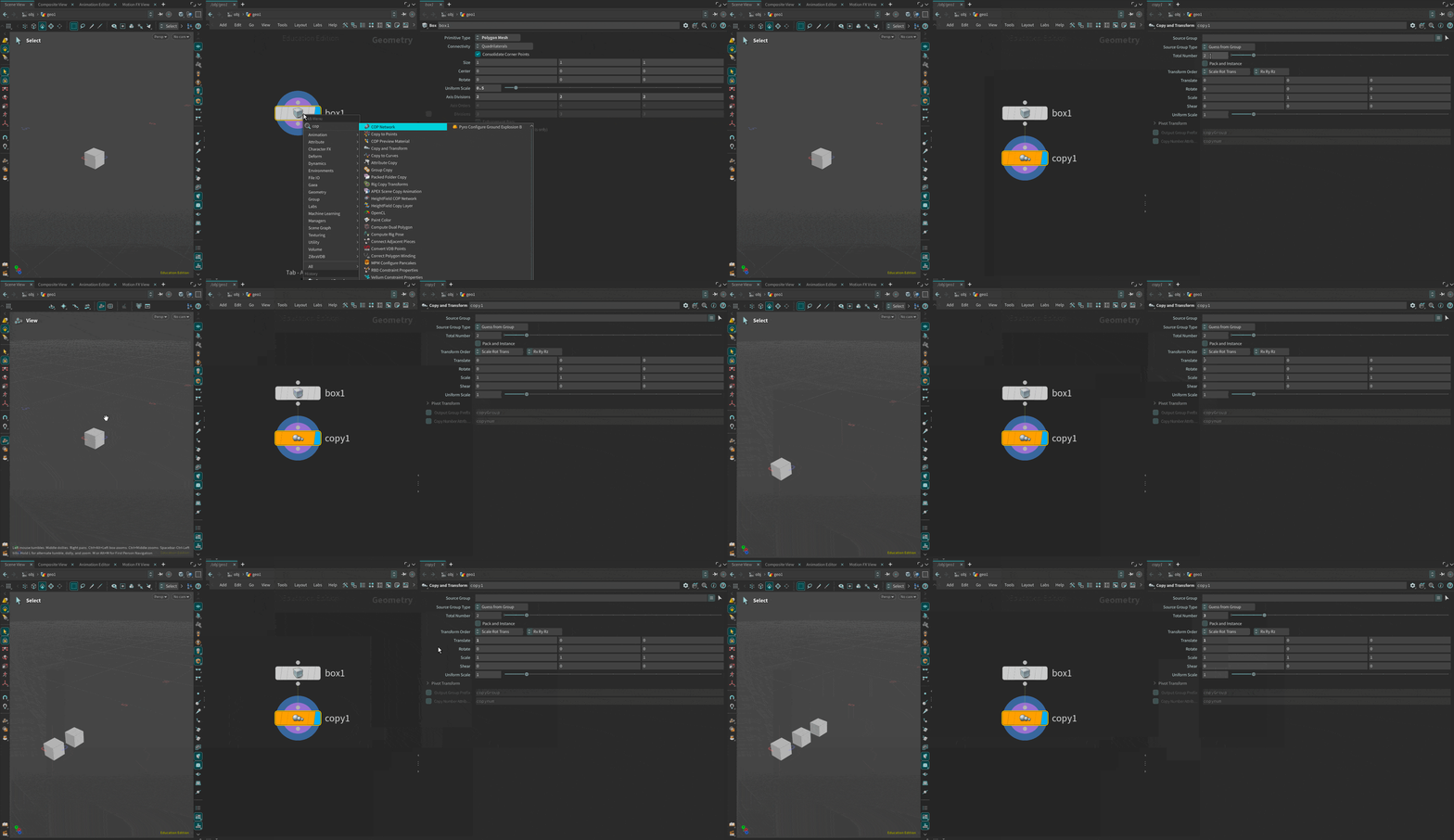
For example (Fig.1):
- The original sits at
0,0,0 - Copy 1 gets a translation of
1on X → it moves to1, 0, 0 - Copy 2 applies the same translation again, but from Copy 1's position → it moves to
2, 0, 0 - And so on...
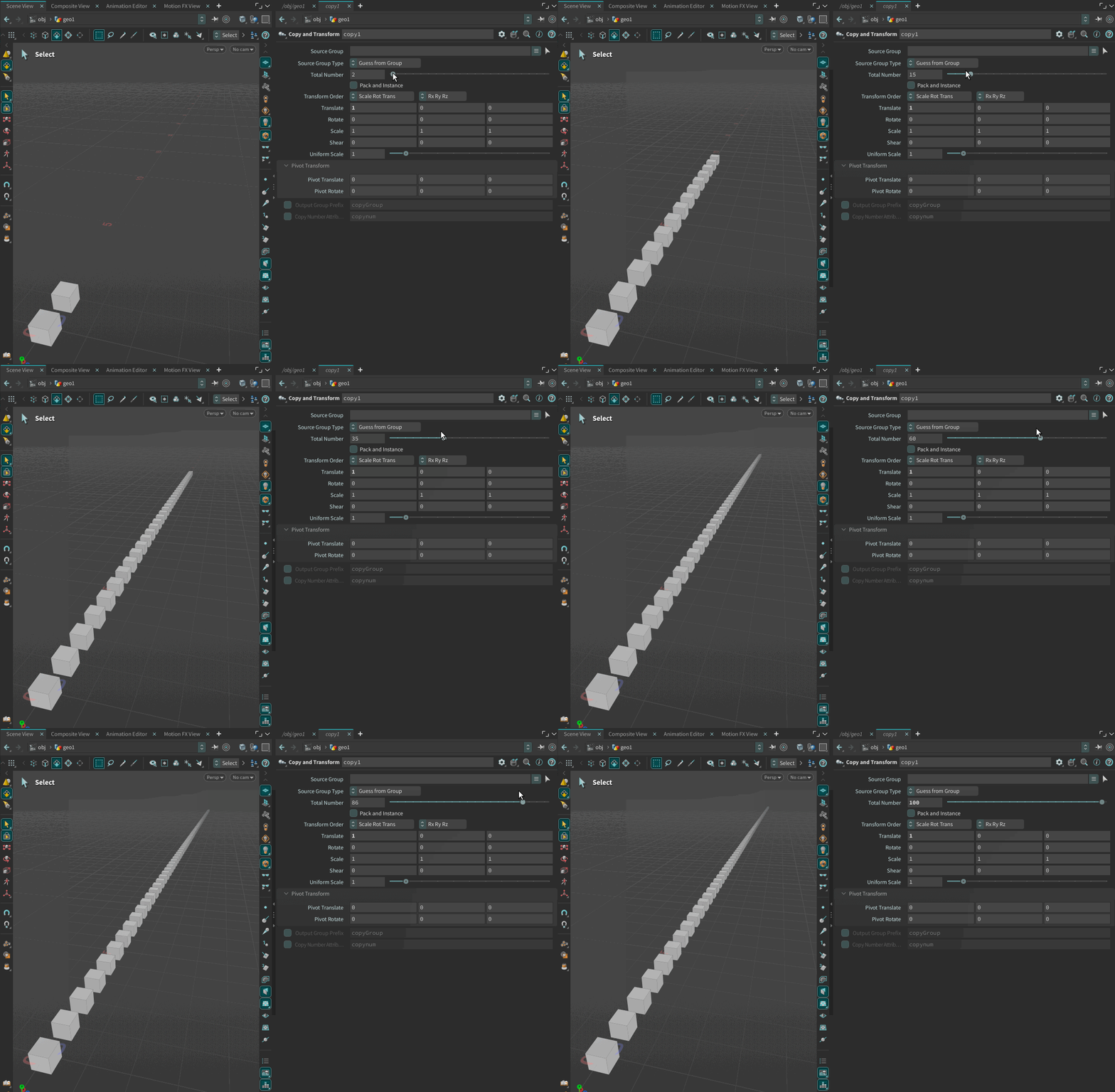
This cumulative behavior (Fig.2) is what makes the node powerful.
One last thing worth mentioning: Pivot Translate/Rotate.
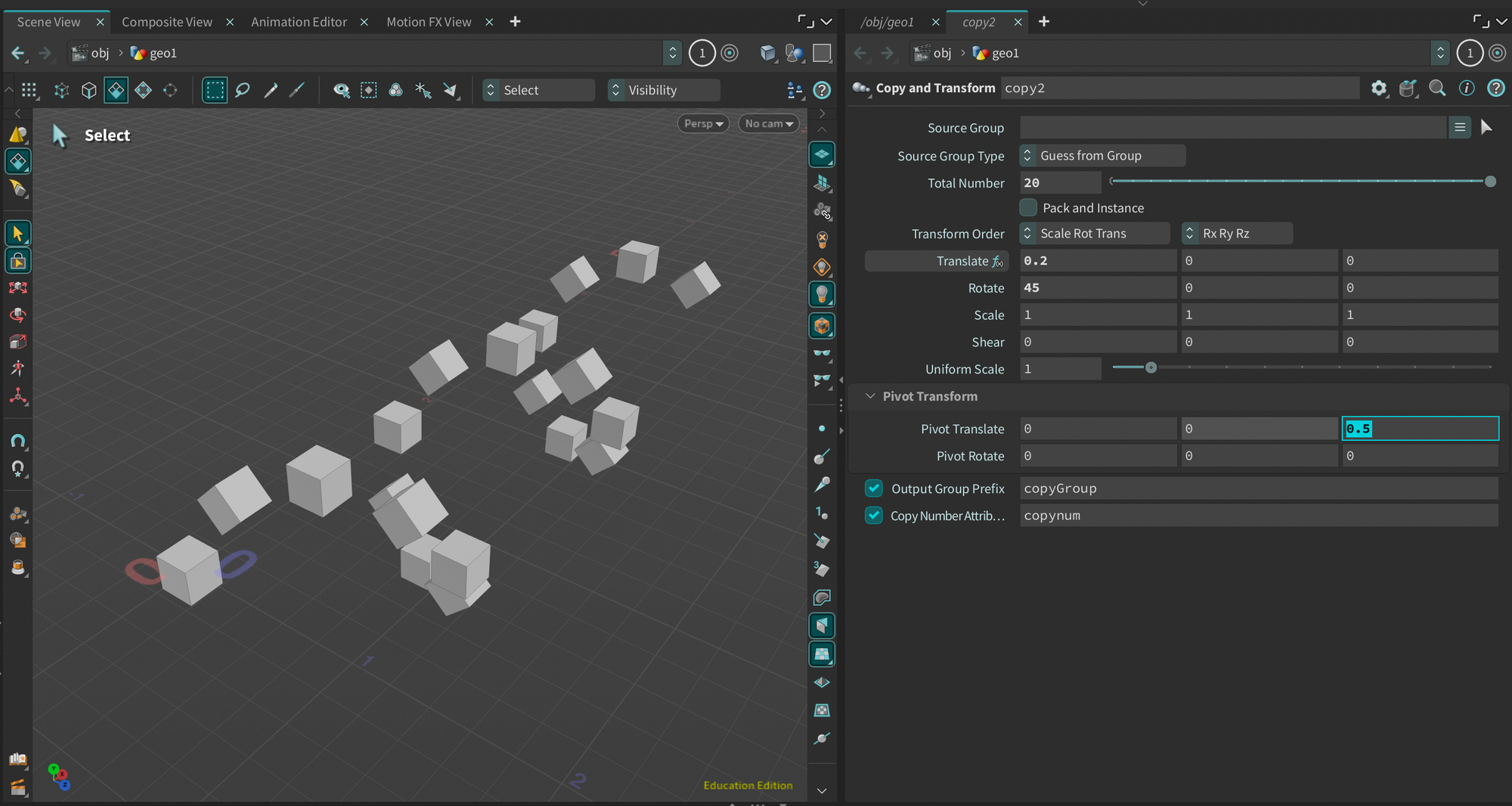
Once you've set your translation and rotation, you can also shift the pivot point of each copy to create more interesting patterns (Fig. 3).
Instead of rotating around the object's center, each copy rotates around an offset point which quickly leads to circular arrangements and/or unexpected results.
A bit deeper
Two useful things are built into this node. Easy to miss, but worth knowing.
Output Group Prefix
Copy & Transform can automatically create a primitive group for each copy.
Each group is named with your prefix + the copy number.
This means you can target individual copies downstream and apply a different material, delete a specific one, or treat each copy as its own object.
copynum Attribute
Each copy gets a copynum integer attribute per primitive.
0 for the first copy, 1 for the second, and so on.
A simple example using an Attribute Wrangle after the Copy & Transform:
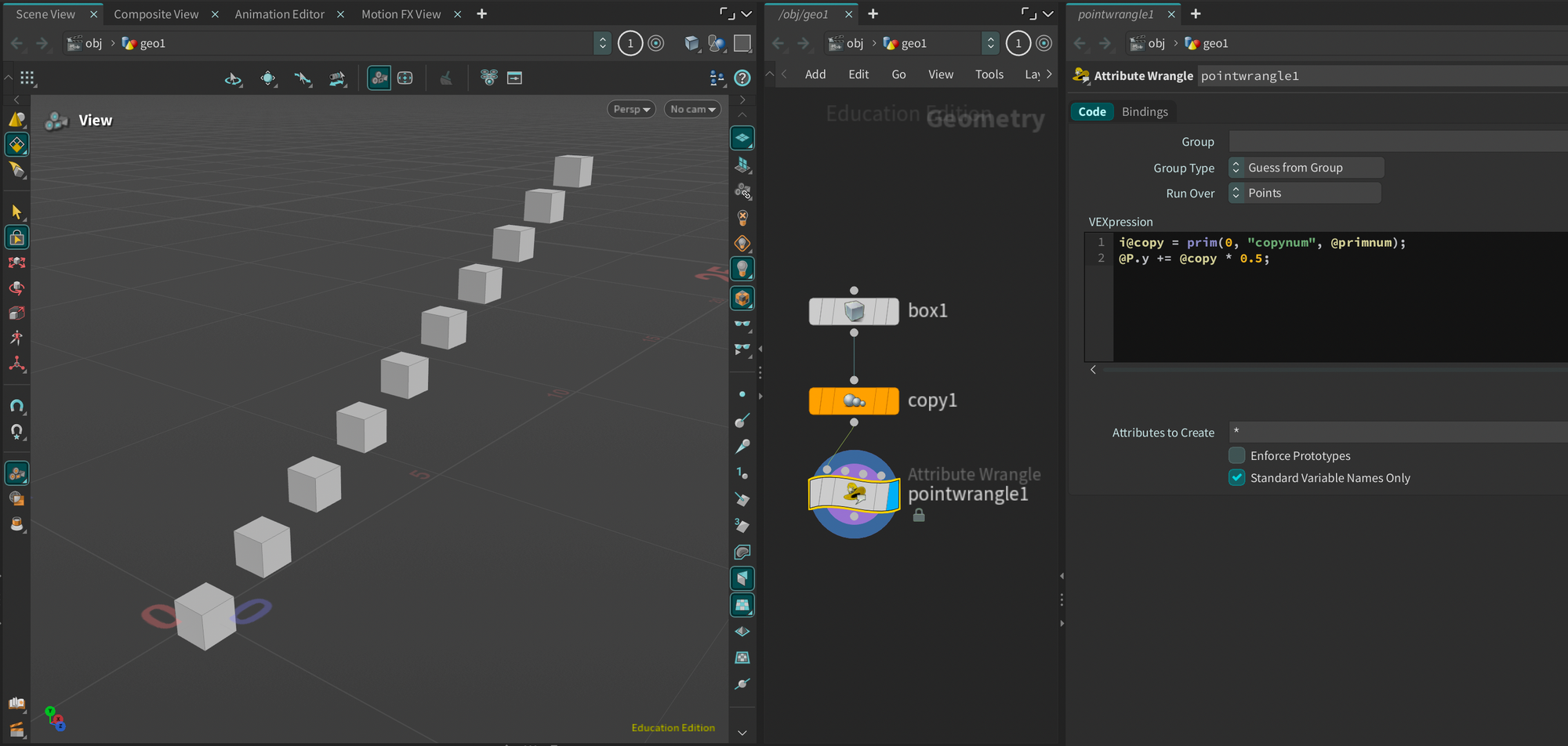
i@copy = prim(0, "copynum", @primnum);
@P.y += @copy * 0.5;
Each copy is shifted upward based on its copy number (Fig. 3). The first copy stays in place, the second moves up by 0.5, the third by 1.0, and so on.