
pscale & Copy To Points
"Why is my pscale not working? Where does it go...?
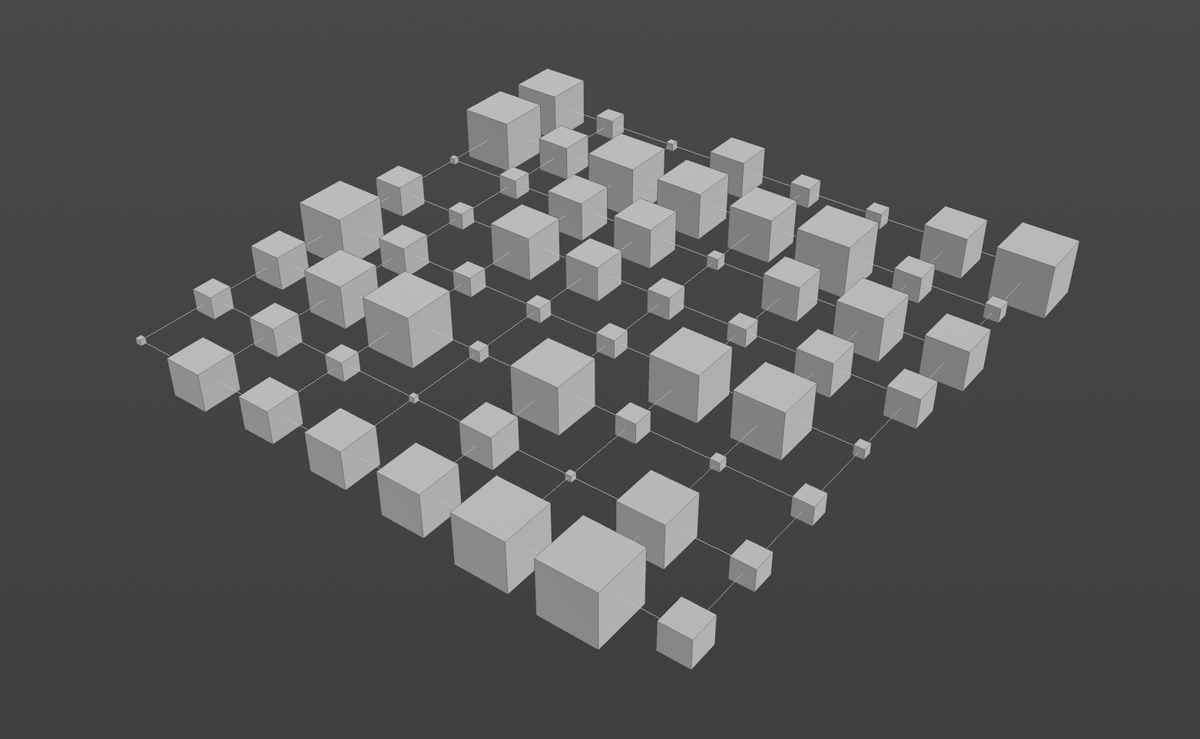
To vary the size of our boxes, copied onto each point of a grid, instinctively we might want to place the pscale beneath the box.
"I want to modify the sphere" the brain thinks:
"I need to add something on/under the box."
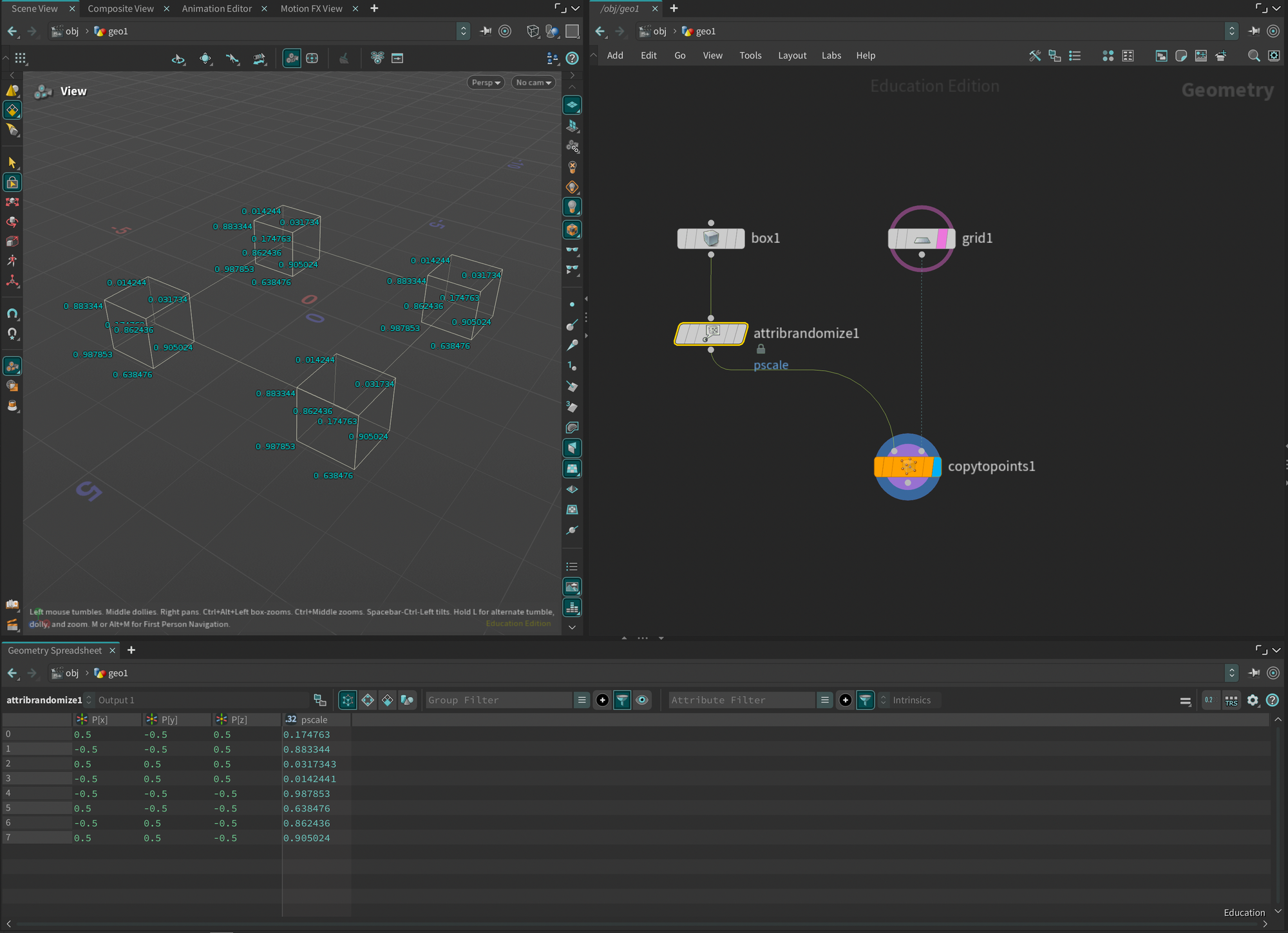
However, it works differently.
If we assign a random pscale beneath the box, each point of our box will receive a different float pscale attribute (Fig. 1)
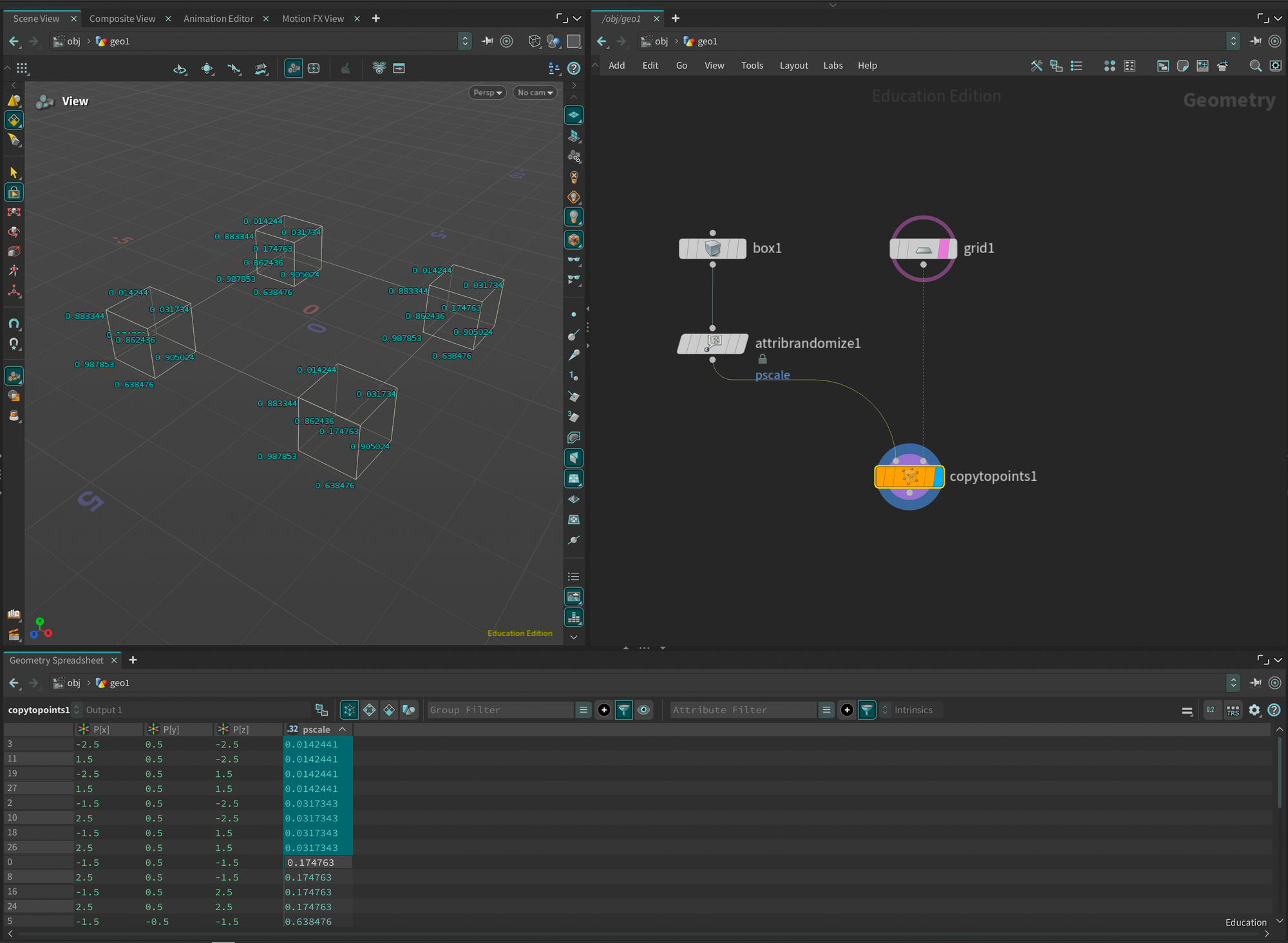
And that's why during the Copy to Points, we find the same pscale, per point, per object. (Fig. 2)
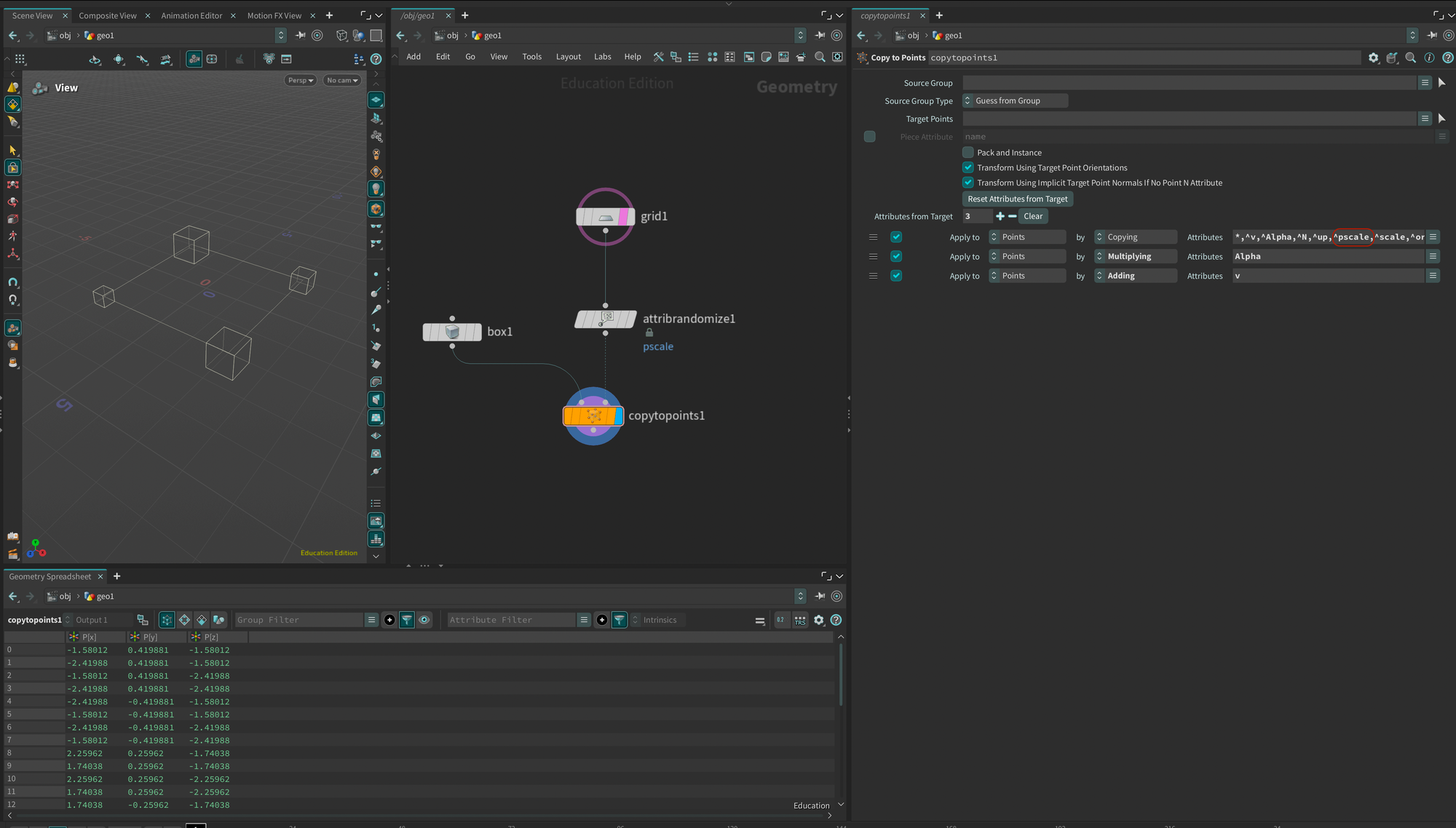
On the other hand, when we create a random pscale attribute on the points of the grid, the Copy to Points node recognizes this attribute and uses it to vary the scale of the instances. (Fig. 3)
As stated in the documentation :

Once the attribute is consumed by the Copy to Points, it is excluded from the flow (Fig. 3), as we can see in the parameters on the right: copy everything (*) except (^) pscale.
We can remove this exclusion if we wish to keep this attribute further down the node tree.
As one of my students put it:
"It's like placing several small piles of yeast on a baking sheet, then covering each pile with cookie dough. Each cookie would rise differently, depending on the amount of yeast. Whereas if we put the yeast directly into the dough, they would all be (roughly) the same size."